When it comes to social media management for FMCG brands, you might think it’s nothing but posting content every day. While this is what appears on the surface, social media management includes connected and various tasks. It takes different social media management tools for FMCG brands to handle these multiple tasks at once.
As you try to manage your social media, you’ll have multiple SKUs to promote and different content formats to produce. More importantly, you have to work with different team members until each post goes live. Being scattered between getting approvals, organizing content, and scheduling posts can lead to human errors.
For that reason, you need efficient social media management tools. But most social media managers feel confused by the diversity and how to find the optimal way to make them work efficiently.
Spending more time managing your social media workflow than your actual content strategy? Our social media management services handle the planning, publishing, and day-to-day management while your team stays focused on the bigger picture.
Why Do You Need Social Media Management Tools for FMCG Brands?
Each week, your social media team may be stuck with dozens of content pieces that require immediate moving across different platforms. One post might be waiting for a designer’s touch-ups, another is pending approval, and a third one needs to be scheduled for posting. Meanwhile, you might be handling a customer issue before turning to social media.
A social media management tool stack helps you handle each part more efficiently.
For instance, a project management platform can show who is responsible for a campaign asset and when it is due, while a social media management platform can show what the final post looks like, who has approved it, and when it is scheduled to go live.
As you try to select a few tools that can assist you with daily tasks, the variety can be overwhelming.
Additionally, you could feel tempted to use several tools that perform similar functions, which can result in extra work. What you need for proper tool selection is to understand the goal and capabilities of each tool. More importantly, how it fits into your existing social media workflow.
Essential Social Media Management Tools for FMCG Brands and Their Best Uses
| Category | Tool | Use Case |
| Project Management | ClickUp | Content calendars, workflow tracking, and brand approvals |
| Project Management | Asana | Task management, responsibilities, deadlines, and project tracking |
| Scheduling and Community Management | Planable | Social scheduling, publishing, and community management |
| Schduling & Posting | Hootsuite and Buffer | Social scheduling and multi-platform publishing |
| Community Management | Sprout Social | Community management through a unified inbox |
| Visual Design | Canva | Reusable social templates and high-volume visual content |
| Video Production | CapCut and Adobe Express | Short-form videos with efficient editing features |
| Influencer Content Management | CreatorIQ, Upfluence, Aspire | Influencer and UGC collaboration management |
| Content Library | Google Drive, Dropbox, and Bynder | Massive storage and organization of social assets |
| Performance Analysis | Looker Studio and Platform native analysis tools, such as Google Analytics, Meta Insights, and TikTok Analytics | Performance tracking and evaluation |
You don’t need every tool on this list. The right combination depends on your team size, number of brands and SKUs, markets, platforms, and the complexity of your approval and reporting processes.
1- Project Management Tools
While most social media managers for FMCG brands start by looking for publishing and content management tools, project management tools are paramount. These tools can help you in many cases. For example, when you are working on a new launch campaign, you’ll need to align these elements:
- Campaign Components
- Targeted SKU
- Target Market
- Designer
- Writing Team
- Deadlines
- Approval Status
- Publishing Date
Through our work on multiple launches, we find ClickUp useful. It supports various social media workflows. From content calendar management and managing content libraries to creative approval, it can help keep the workflow organized in one place. You can monitor content status through tabs, such as To Do, In Progress, For Revision, For Approval, and Published.
Asana is another helpful task management tool for our social media projects. Its social media calendar helps us track the progress of posts on each platform, while showing the campaign associated with each post. It also allows your team to keep track of responsibilities, deadlines, and closely monitor creative asset status.
2- Social Content Scheduling and Social Management Tools
You can find different options under this category, such as Planable, Buffer, and Hootsuite. Both Buffer and Hootsuite are commonly used for social scheduling, publishing, and management.
Sprout Social, on the other hand, acts as a social community management tool across various channels. Through a unified inbox, you can check incoming comments, direct messages, and mentions from connected profiles.
To combine both social media management functions in one channel, we turn to Planable. It’s reliable for the day-to-day execution of social media management tasks. Our social media team uses it for social media scheduling and community management. Its interface facilitates organizing and tracking posts and social interactions in one place.
Your team can schedule approved content in advance rather than relying on manual publishing for every post. Moreover, its social inbox allows the team to manage comments and direct messages without constantly switching between platforms.
3- Design Tools for High-Volume Production
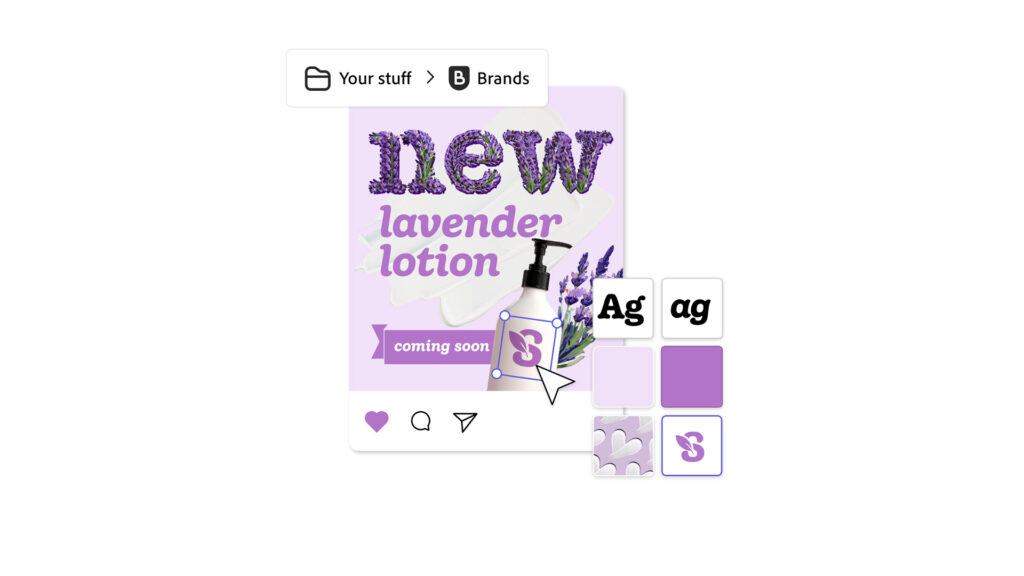
Across different platforms, FMCG pages need a large volume of visual assets. This demand increases during campaigns and for managing different SKUs. Also, if your brand operates across different MENA markets. In such cases, a single visual is rarely enough. You will need optimized versions for the GCC, Levant, Egypt, and the Maghreb. Calling the designer around the clock to tailor fresh designs from scratch isn’t efficient.
Tools such as Canva can help your social media team create reusable templates and maintain brand assets. Options such as Brand Templates let them adjust designs while keeping signature visual elements like logos, colors, fonts, and templates.
For video-heavy social strategies, tools such as CapCut or Adobe Express can also support faster production and adaptation of short-form content.
Need more insight into choosing the right social media management platforms for FMCG brands? These tools continue to evolve, with new features and capabilities changing what social media teams can do. Subscribe to our newsletter for up-to-date insights on the latest platform developments and practical ways to make better use of them.
4- Influencer and UGC Tools
At the core of your social media management lies influencer and user-generated content. In the beginning of your partnerships, you might not need specialized tools. However, as you scale your collaborations, you’ll need a dedicated management system. Such tools track creator information, campaign participation, and performance status.
Platforms such as CreatorIQ, UpFluence, and Aspire bring all the collaboration details to one platform. Through them, you can track contracts, review content submissions, understand which content belongs to which campaign, and manage usage rights.
5- Mass Storage for Content Libraries
Having to go through multiple WhatsApp conversations to find specific assets can take forever. Working with multiple FMCG brands can accumulate thousands of creative assets every year. Organizing storage folders on Google Drive or Dropbox can be enough for many small to mid-sized teams. Larger organizations invest in DAMs, such as Bynder.
6- Analytical Tools for Performance Tracking
The final part of the workflow is understanding what happened after the content was published. This is where native platform analytics, such as Meta Business Suite, Meta Insights, and TikTok Business Accounts, can provide performance data for individual channels. Google Analytics can complement this by helping you understand what happens after users reach your website from social media.
Further digging up performance data and comparing it across different content types can help establish more than just performance monitoring. Tools such as Sprout Social and Looker Studio are useful for bringing data together and creating comprehensive reporting dashboards from connected data sources.
When it comes to making the most of performance data, you need to understand the significance of the numbers attached to each post. Use the data to know what each post achieved for a specific campaign. The goal of reporting should guide your team in deciding what to do next.
Ready to make your FMCG social media workflow easier to manage? Contact us now to book a free consultation session to discuss your social media management requirements. Our experts will help you keep your social presence consistent across campaigns, platforms, and markets.